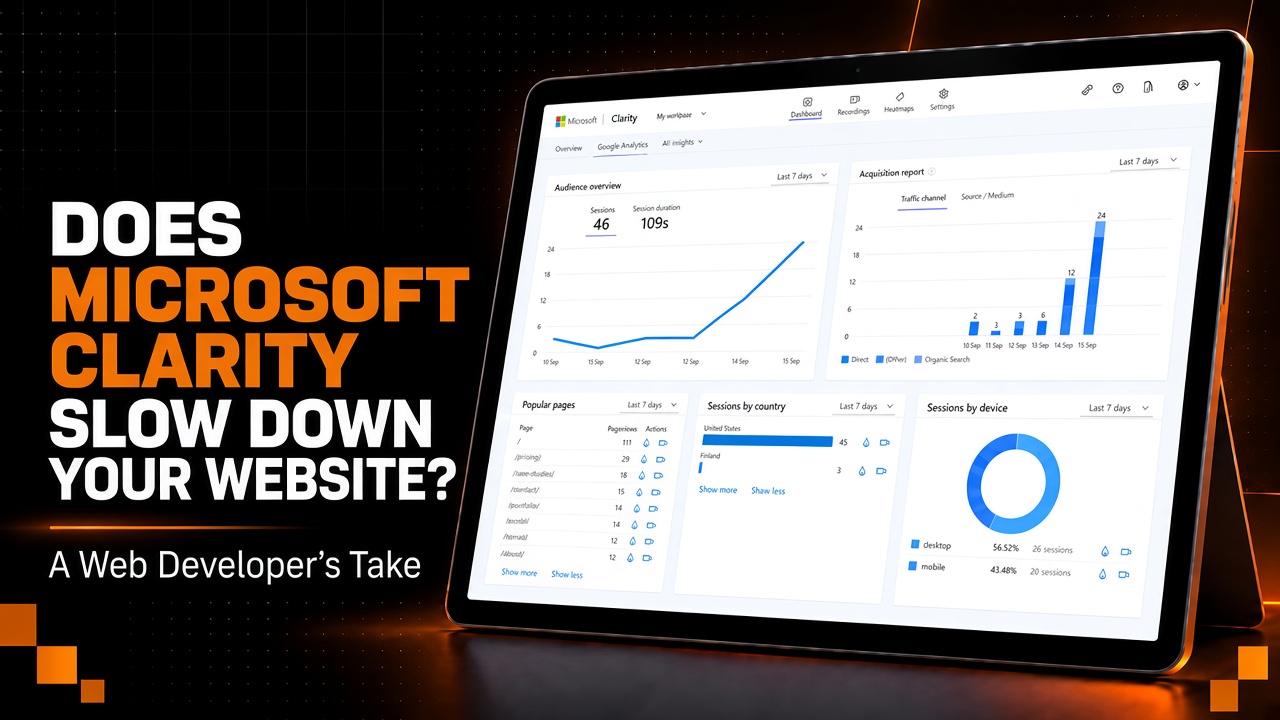
Does Microsoft Clarity Slow Down Your Website? A Web Developer's Take
Microsoft Clarity adds JavaScript like any analytics tool, but in real projects it rarely causes meaningful slowdowns. Learn how to test performance, use heatmaps with GA and Search Console, and turn behavior data into better SEO and UX decisions.
If you add Microsoft Clarity to your website, is it going to slow the site down? That is probably one of the first questions worth asking before installing another tracking script. In my own experience, the answer has been no. I have used other heatmapping and user-behavior tools before, and Clarity is probably the best one I have had the pleasure of using so far. The fact that it is free makes it even harder to ignore.
The main reason I use it is simple. I like knowing what people actually do when they land on a website. Search Console can tell me how someone found the site. Google Analytics can tell me a lot about the session itself. Clarity gives me a visual look at how that person actually moved through the page, what they clicked, how far they scrolled, what they ignored, and where the design may be getting in their way.
That is the part I find most useful.
Does Microsoft Clarity Slow Down a Website?
Any JavaScript you add to a website has the potential to affect performance. That is true for analytics scripts, ad pixels, chat widgets, animation libraries, and pretty much anything else running in the browser. So I would never say that Clarity has absolutely no performance cost in every situation.
What I can say is that I have personally never had Clarity create a meaningful speed issue on a site I was working on. Microsoft has also published its own information about how Clarity is designed to minimize its impact on Core Web Vitals and page performance.
If a website is already so overloaded that adding one tracking tool noticeably hurts performance, I would start looking at the website itself before blaming Clarity. How much JavaScript is already being loaded? Are there giant libraries being used for one small feature? Are scripts loading on pages where they are not even needed? Are the images properly optimized? Is the frontend doing more work than it actually needs to?
A tracking tool should not be the thing holding the whole website together.
I think a lot of complaints around this come from websites that are already overloaded before Clarity ever gets installed. Good web development practices make a big difference here. If the site is clean, optimized, and not trying to run half the internet in the background, one analytics script should not suddenly destroy it.
Measure before you debate
Run performance checks before Clarity is installed, add it properly, then test again. Compare mobile, desktop, and Core Web Vitals. If nothing meaningful changes, you gained behavior data without a real speed problem. If something does change, investigate the site stack, not just the tag.
The easiest way to know is to test it. Run your performance checks before Clarity is installed, add it properly, then test again. Look at your mobile performance, your desktop performance, and your Core Web Vitals. If something changes in a meaningful way, investigate it. If nothing changes, then you have an additional source of useful data without creating a real problem.
That is much better than arguing about a theoretical performance hit without actually measuring anything. For budget and limit thinking on the rest of the stack, see Modern Performance Budgets and Why They Matter.
Why I Use Microsoft Clarity
I like heatmapping tools because they answer questions that normal analytics cannot always answer cleanly. I care about bounce behavior, menu usage, scroll depth, and whether somebody is actually engaging with the page or just flying through it.
For example, say somebody is looking at a restaurant website and ends up on the menu page. That sounds straightforward, but there is more to the story. Did they land on the homepage and immediately look for the menu because that was their entire intent? Did a section on the homepage sell them on the restaurant and then direct them toward the menu with a call to action? Did they struggle to find it and bounce around the navigation first?
Those journeys can all end on the same page, but they tell you completely different things about whether the website is doing its job.
That is what I care about when I am looking through Clarity. I want context around the numbers.
The Biggest Mistake People Make With Analytics
One of the silliest things I see in marketing and SEO is people installing every tracking product they can find and then never actually using the data.
Google Analytics gets installed. Search Console gets connected. Clarity gets added. Maybe another SEO platform or two gets thrown into the stack. Then nobody checks anything for six months.
At that point, what was the point of installing it?
These are tools. They are meant to be used. A tool sitting there collecting data is not helping your website simply because it exists.
A lot of rookie marketers and SEO people make this mistake. They know they are supposed to install analytics, so they do it, but there is no follow-up. They never sit down, read through the new information, compare behavior, or make changes based on what they are seeing.
I would rather make one genuinely good change based on real user behavior than guess at ten different ways to stuff more keywords into a client website. Keywords are important. Search intent is important. Technical SEO is important. But if someone already clicked into the site and the site itself is doing a poor job of guiding them, none of that matters nearly as much as people like to pretend it does.
What I Actually Look At
The things I pay the most attention to are scroll depth, navigation, bounce behavior, and how people move through the site.
Are people really going through the whole page? Are they engaged with the content, or are they carelessly scrolling through it? Are they using the menu because that was their intent from the beginning, or because a call to action on the homepage pushed them there? Are they reaching the important parts of the page, or are we losing them halfway down?
That context matters.
A pageview by itself is not enough information. Even something like a good bounce rate or a long session does not automatically tell you the website is working perfectly. Somebody could be spending a long time on the site because they are interested, or because they cannot find what they need.
That is why I like combining behavioral tools with normal analytics. One gives you the number, and the other helps you understand what that number may actually mean.
How I Would Explain Clarity to a Dentist
If I were explaining Clarity to a dentist who does not care about the technical side of any of this, I would keep it simple.
I would tell them that we are going to use Microsoft Clarity to understand how people interact with their website. We can look at things like where visitors click, how far they scroll, which parts of the site they actually use, and whether certain areas seem confusing or ignored.
Then, over time, we use that information to improve the website.
Maybe patients keep visiting the insurance page before booking. Maybe people reach the Invisalign page but barely interact with the consultation button. Maybe most mobile visitors stop scrolling before they ever reach the strongest reviews or the appointment section.
That gives us something real to work with.
If Clarity ever creates a legitimate problem, it can be removed. Google Analytics and Google Search Console can still give us a lot of information. But in my experience, a normal heatmapping tool gives you a better look at how someone interacts with the actual design and structure of the website.
The point is not to watch people click around for fun. The point is to keep the website polished after it launches.
Does Microsoft Clarity Help SEO?
Clarity does not directly improve your rankings just because you installed it. There is no ranking bonus for having it on your site.
Where it becomes useful for SEO is what happens after someone reaches the website.
Say Search Console shows that a service page is starting to get more impressions and clicks. That is good. But then Clarity shows you that almost nobody is reaching the contact section, or people keep clicking something that is not actually interactive, or mobile visitors barely make it through half the page.
That changes what you should do next.
Maybe the page does not need another thousand words. Maybe it does not need more keywords. Maybe the design needs work. Maybe the CTA is weak. Maybe the strongest proof is buried too low. Maybe the page is technically ranking, but the user experience is failing once people arrive.
That is why I think behavioral data is useful for SEO work. Getting the click is only part of the job. For the search side of that stack, SEO fundamentals and local SEO for North Carolina service businesses are the companions to behavior review, not replacements for it.
Microsoft Clarity vs. Google Analytics and Search Console
I would not replace Google Analytics or Search Console with Clarity. I use them for different reasons.
Search Console is where I care about search performance, queries, pages, impressions, clicks, indexing, and how Google is interacting with the site. Google Analytics is useful for traffic sources, events, conversions, and broader user activity.
Clarity is where I look more closely at how the design is being used.
What are people clicking? What are they ignoring? How far are they scrolling? Are they moving through the website the way we expected them to?
Those tools work better together than they do individually. The mistake is installing all three, looking at none of them, and then acting like the tracking setup itself accomplished something.
Heatmaps Are Not Magic
I like Clarity a lot, but I would never let a heatmap make every design decision for me.
Analytics needs context.
If a handful of users click somewhere unusual, that does not automatically mean you redesign the page around them. You need patterns. You need enough traffic. You need enough sessions to start seeing repeat behavior instead of one-off behavior.
You also have to be careful about making assumptions from the data.
Someone scrolling quickly does not automatically mean they hated the page. They might be looking for a phone number. Someone visiting several pages does not automatically mean they were deeply engaged. They might have been completely lost.
The data is there to help you ask better questions, not to make every decision for you.
Website Speed Still Matters
I care a lot about speed, but I also do not think useful tracking should be removed just because somebody is afraid of adding a script.
If your site has so much JavaScript or backend work happening that one analytics tool causes a major slowdown, the website probably needs optimization anyway. See Website Performance: The Hidden Revenue Driver for how speed ties to business outcomes, not just lab scores.
For someone new to web development, there are plenty of ways to clean this up. Bundling JavaScript properly, loading only what is needed, splitting code, compressing assets, and reducing unnecessary third-party scripts can make a big difference.
You can even use tools like ChatGPT to help with simple optimization tasks, but I would heavily test anything generated by AI before pushing it into production.
Personally, I still find AI more troublesome than helpful in development when the task gets complicated. For simple jobs, it can be useful. For bigger code changes, it can create new problems just as quickly as it fixes old ones.
I do not think that will always be the case, but right now I would still treat AI-generated code like code from a developer you do not know. Review it, understand it, test it, and do not blindly trust it.
Microsoft Clarity and AI Search
Clarity has also become more interesting in 2026 because Microsoft has been adding more around AI search visibility, citations, queries, and crawler activity.
I would not abandon traditional SEO tools because of that. Search Console still matters. Rankings still matter. Organic traffic still matters. Conversions matter even more.
But search is changing, and people are discovering businesses through more than traditional Google results now. If a tool can give us more information about how that discovery is happening, I am interested in it.
The same basic principles still apply either way. Build a technically solid website, create useful content, make information easy to understand, and make sure the site is actually helpful when someone lands on it.
Is Microsoft Clarity Worth Using?
For me, yes.
I like heatmapping tools, and Clarity is my favorite one I have used so far. The fact that it is free makes it an easy addition for most websites where understanding user behavior actually matters.
That does not mean every business needs twenty analytics platforms running in the background. It means that if people are visiting your website and you want to understand what they are doing once they get there, Clarity is useful.
The important part is what you do with the information afterward.
If people are ignoring an important section, change it. If a certain page is working really well, figure out why. If mobile users are behaving completely differently from desktop visitors, investigate it. If nobody is reaching the section you were convinced everyone would love, the data is telling you something.
Use it.
That is what the tool is for.
So, Does Microsoft Clarity Hurt Website Speed or SEO?
In my own use, I have not seen Microsoft Clarity create a meaningful performance problem.
That does not mean you should blindly trust my experience or Microsoft's documentation. Test your own website. Measure it before installation, measure it afterward, and make your decision based on what actually happens.
Clarity is not going to magically improve your rankings either. What it can do is help you understand what people do with the traffic you already worked to earn.
That is the part I care about.
Ranking a website and then never studying what visitors do afterward is only doing half the job.
At Koford Media, we would rather make changes based on evidence than fill a report with numbers nobody plans to use.
Build with proof, not borrowed authority.
If you want help turning analytics into actual site improvements, see Website Care & SEO or request a website review.

Written by
Zack Koford
View profileFounder of Koford Media. Full-stack developer focused on custom Next.js websites, technical SEO, and conversion-oriented web strategy.
Keep reading
Related articles
Website Performance Budgets: How to Keep Sites Fast
How to set website performance budgets for page weight, JavaScript, images, and Core Web Vitals so sites stay fast after launch.

Why Is My Business Website Not Showing Up on Google? A Plain-English Fix List for 2026
Website not showing up on Google? Learn if it is a setting, an indexing problem, or the site itself, plus what Google said this week and a checklist.

What's New in Next.js in September 2026? What Developers Should Actually Test
Next.js 16.3.6 security patch, Turbopack build caching, TypeScript 7, experimental chunking, and how to test each change on a real static or hybrid project.