
What's New in Next.js in September 2026? What Developers Should Actually Test
Next.js 16.3.6 security patch, Turbopack build caching, TypeScript 7, experimental chunking, and how to test each change on a real static or hybrid project.
Keeping up with Next.js is easier when you separate changes by where they take effect. A compiler improvement can shorten builds without changing the visitor's experience. A different chunking strategy can improve navigation while increasing the number of files in your deployment. A server rendering feature may have little relevance to a website delivered entirely as static files.
As of September 24, 2026, the developments worth understanding include the 16.3.6 security patch, persistent Turbopack build caching, TypeScript 7 support, and experimental controls for JavaScript delivery. Several of these arrived with Next.js 16.3 in August; September's updates and technical explanations give developers more context for evaluating them.
At Koford Media, much of our custom Next.js development involves business websites with public content, interactive interfaces, and connections to services such as booking platforms or CRMs. That makes static rendering, manageable client bundles, and dependable deployments especially relevant. This article looks at how the recent changes affect those decisions and how to evaluate them on a real project.
Start with the September security update
The September 22 security release fixes a critical issue affecting Next.js versions 16.2.0 through 16.3.5. It involves the Node.js implementation of ImageResponse in next/og, where upstream dependency vulnerabilities could allow remote code execution under specific conditions. Next.js 16.3.6 contains the fix. The Edge implementation is unaffected, and the accompanying 15.5.26 release provides hardening rather than a fix for this particular RCE issue in Next.js 15.
For a project on the affected release line, the published upgrade command is:
npm install next@16.3.6Commit the updated dependency and lockfile, rebuild, and redeploy the affected application. Changing the version in a local checkout does not update an already running deployment.
There is also an upcoming release to account for. On September 23, the team announced patches planned for September 30, targeting versions 16.3.7 and 15.5.27. Those were announced, not released, at the time of writing. Apply the available patch now and review the new advisories when they are published.
What Turbopack build caching actually improves
Turbopack's persistent cache lets the compiler retain reusable work between runs. In Next.js 16.3, filesystem caching is enabled by default for production builds. The build cache lives under .next/cache, so a CI job must restore that directory before building to benefit from previous work. An isolated runner that starts empty on every deployment will not automatically inherit the cache from yesterday's build.
This matters most when compilation represents a substantial share of deployment time. Consider a site with many service pages, location pages, and articles. Editing one paragraph does not necessarily require recompiling every unchanged dependency. Reusing that work can shorten the feedback loop between a content change and a deployable build.
However, a compilation cache does not remove every other build cost. Your build may still spend time fetching CMS content, generating pages, checking types, or uploading output. If a remote content API takes most of the build time, faster compilation will have a limited effect on the overall job. Record individual stages as well as total duration so you can identify which bottleneck actually moved.
A useful comparison includes a build without an existing cache, a second build with the cache retained, and a third after a representative content or component edit. Repeat the sequence under consistent conditions. The unchanged second build demonstrates potential reuse; the edited build is closer to the work your team performs every day.
TypeScript 7 changes the type-checking stage
Next.js 16.3 can use TypeScript 7 through the project's local TypeScript dependency. The CLI integration runs the project-local checker during next build, allowing the native compiler to participate without requiring the older JavaScript compiler API. The documented installation approach is to upgrade the development dependency to typescript@^7.
The performance benefit belongs to development and CI. Type checking examines whether the program's types are consistent; it does not make a visitor's browser execute the resulting application faster. That distinction helps when explaining an upgrade to a client or deciding which metric should justify the work.
Check compatibility across the repository, including test tooling, generated types, and scripts that interact with TypeScript. Next.js documents that the CLI checker evaluates the project selected by your tsconfig, which can include test files. A newly reported error may therefore come from code outside the production routes you were focused on. Resolve the cause rather than disabling build-time type checks to recover a successful build.
Why JavaScript chunking affects the entire visit
A chunk is a JavaScript file containing part of the application and its dependencies. Chunking determines which modules travel together. Larger chunks reduce request counts, but can include code a particular page does not need. Smaller chunks allow more selective loading, with additional request overhead and different compression tradeoffs.
The useful unit of measurement is often a browsing session. A visitor might enter through a service page, view a project, and then open the contact page. Shared interface code can be reused along that journey, while a gallery or form may introduce additional dependencies. Measuring only the homepage leaves those later costs out of the comparison.
Next.js's September explanation of Turbopack chunking describes the experimental generateComponentChunks option. It emits unmerged chunks alongside merged versions so the runtime can choose the missing pieces based on modules already loaded. Here, "component chunks" refers to pieces of merged chunks; it should not be read as a promise that each React component gets its own file.
Two related experiments address other sources of overhead: turbopackSharedRuntime shares runtime code across pages, while turbopackCjsTreeShaking removes unused CommonJS code where analysis permits. Their value depends on what the application actually imports and how users navigate.
Illustrative lab path
Cumulative JS transferred across a service-site path
KiB after each navigation
- Default chunking
- Shared runtime
- Component chunks
For a practical comparison, record a fixed route sequence against the default build, then repeat it with one experiment enabled. Start each session with an empty browser cache, retain the cache between navigations, and keep prefetching behavior consistent. Compare cumulative transferred JavaScript, requests, and main-thread work. This gives a more useful result than comparing the total size of the build directory, which includes files a visitor may never download.
Static rendering and static export are different deployment decisions
A Next.js application can prerender pages while still relying on a server for other features. A static export goes further: with output: 'export', the production build produces files that can be served without a running Next.js application server. The static export documentation describes the supported features and boundaries.
const nextConfig = {
  output: 'export',
}
App Router Server Components can execute during the build to prepare the output. Client Components provide browser interactions. For dynamic route segments, generateStaticParams supplies the paths that need to exist when the site is built. Changes to build-time content require another build and deployment.
A pure export cannot provide Next.js request-time features such as Server Actions, ISR, request-dependent Route Handlers, or the default image optimization service. Redirects and rewrites must be handled by the hosting layer where supported. Images need an export-compatible approach, such as an external loader or preoptimized files.
The architectural question is where each operation will happen. A restaurant's menu can be generated at build time while ordering takes place on an external platform. A contact form can send a browser request to a separate endpoint. That endpoint still needs validation and abuse protection, and any secrets must remain on a trusted backend. Static hosting simplifies the public website's deployment; it does not eliminate the responsibilities of the systems connected to it.
Our Ice Cream Factory project is a useful context for this distinction because its public marketing content and operational integrations serve different purposes. It also suggests a realistic test path: browse content, choose a location, and continue toward ordering. That is a proposed evaluation scenario, not a claim that we have measured gains from the experimental flags on that project.
Keep client boundaries small before tuning the bundler
Bundler settings operate on the dependency graph your code creates. Next.js explains that 'use client' establishes a boundary whose imports become part of the client module graph. Placing that boundary around a large section of the site can bring more code into the browser than placing it around a specific interactive control.
For example, an article page may contain a small share menu. The menu needs state and event handlers; the article body does not. Keeping the interactive module focused makes its dependencies easier to understand. Passing rendered content through composition can also preserve server-rendered content inside a client interface without importing all of that content into the client module graph.
During review, ask why each browser dependency is present. A carousel, animation package, or search dialog may be appropriate, but its loading behavior should match when users need it. This architectural work gives chunking experiments a cleaner starting point and makes unexpected bundle growth easier to diagnose.
Measure the user experience separately from build performance
Core Web Vitals describe loading, responsiveness, and visual stability. Google's published targets are LCP at or below 2.5 seconds, INP at or below 200 milliseconds, and CLS at or below 0.1, assessed at the 75th percentile and evaluated separately for mobile and desktop. A faster build does not establish that any of these improved.
Use lab tools to investigate specific causes. A performance trace can show whether an interaction waits on JavaScript execution, layout, or rendering. A network recording can reveal an oversized image or a late-loading font. Field measurements then show whether those conditions affect actual visitors. Lighthouse's standard page-load audit cannot stand in for INP across real interactions throughout a visit.
Choose interactions that represent the site's purpose. On a service website, open the mobile navigation, expand an FAQ, and submit an invalid form to inspect validation behavior. On a restaurant website, use menu filters and location controls. Run these checks against production output, with the scripts and integrations that will actually ship, because an empty development page is a poor substitute for the deployed experience.
How these changes relate to Next.js SEO
For SEO, the immediate value of these engineering choices is making useful pages accessible and reliable. A faster type checker has no direct search benefit. Smaller bundles may help performance, but they cannot compensate for missing content, incorrect canonical URLs, or routes that fail when opened directly.
Google states that Core Web Vitals are used by its ranking systems, while good scores do not guarantee top rankings. Treat performance as part of technical quality alongside crawlable links, descriptive titles, and content that answers the query. For an exported site, inspect a generated page and confirm that its primary content and metadata are present before browser interaction.
Then test the hosting behavior. Open a nested URL directly, refresh it, and request a nonexistent path. A site can work during client-side navigation while failing when a visitor arrives from search. Also confirm that canonical and social URLs use the production domain. These checks connect framework decisions to the pages search engines and visitors actually receive.
For related reading on business-site architecture and budgets, see Why Next.js is Perfect for Business Websites and Modern Performance Budgets and Why They Matter.
Build a repeatable upgrade process
Create a baseline before changing dependencies: retain the lockfile, record the environment, and choose representative routes and interactions. Apply the security patch independently of optional performance experiments. Once the patched build is working, evaluate compiler upgrades and experimental flags separately so a regression has a clear starting point.
Next.js 16.3 also maintains version-matched guidance for coding agents through an AGENTS.md block. That helps tools consult documentation for the installed framework. Project-specific instructions still need to explain constraints such as static export compatibility, permitted integrations, and the expected deployment checks.
For our work at Koford Media, the useful outcome is a website that remains straightforward to maintain as its content and features grow. Faster builds improve iteration, deliberate JavaScript delivery supports browsing, and a suitable rendering model keeps hosting predictable. Understanding which layer each update changes makes those improvements easier to evaluate, and easier to preserve through the next upgrade.
Frequently asked questions about Next.js updates, performance, and static websites
Which Next.js security update should developers install in September 2026?
As of this article's September 24 publication date, Next.js 16.3.6 is the available fix for the Node.js ImageResponse vulnerability affecting versions 16.2.0 through 16.3.5. Next.js 15.5.26 includes related hardening, although the advisory says Next.js 15 is not affected by that remote code execution issue. The official security announcement explains the affected implementation and upgrade commands. If you are reading later, check for subsequent advisories before selecting a version; a dated article should not become a permanent dependency pin.
Why is my Next.js build still slow after enabling Turbopack caching?
First, confirm that the build environment restores .next/cache before compilation. A cache created at the end of a disposable CI job provides no benefit if the next job cannot access it. Then inspect the timing of compilation, type checking, content fetching, page generation, and deployment separately. Turbopack caching primarily helps reuse compiler work, so it may have little influence on a slow CMS request or a large asset upload. Compare several equivalent builds and check the CI cache restore logs before assuming the compiler is the bottleneck.
What is the difference between the build cache, browser cache, and CDN cache?
These caches serve different parts of delivery. The build cache stores reusable work for the tools generating your application. The browser cache retains responses on a visitor's device, while a CDN cache can serve stored responses from infrastructure between your origin and visitors. A successful CI cache restore does not establish that your JavaScript has useful browser caching headers. Likewise, clearing a CDN cache does not necessarily invalidate files already retained by a browser. When diagnosing stale content or slow delivery, identify which response or build artifact is involved before deciding which cache to inspect.
Can I upload a Next.js website to ordinary static hosting?
Yes, if the application supports a static export. With output: 'export', next build generates deployable files in the out directory by default. Upload the exported contents to a host that serves those files and resolves the generated URL structure correctly. You do not need to run next start for that deployment. Test nested URLs, trailing-slash behavior, missing pages, and asset paths on the actual host, because a successful build alone does not verify its routing configuration.
Can a static Next.js website have forms, booking, payments, or a CMS?
Yes. Static delivery does not prevent the browser from communicating with external services. A CMS can supply content during the build, while a form, booking interface, or checkout can connect to a separate backend or hosted platform. The integration needs an explicit owner for validation, authentication, spam prevention, and payment processing. For example, a contact form can submit to an external endpoint, but an email service's secret API key must stay on that endpoint's backend. Decide which content needs to be present in the initial HTML and which interactions can fetch data after the page loads.
How do dynamic routes work with a Next.js static export?
For an App Router route such as /posts/[slug], generateStaticParams supplies the parameter values used to build the individual pages. If it returns a slug for this article, the export can include the corresponding article URL. Publishing another CMS entry does not automatically create a new file on the static host: the build must run again with that entry included. Check that your content query retrieves every intended record, including records beyond the first API pagination page. Missing build inputs can produce missing URLs even when the route template itself is correct.
Can I use next/image without the Next.js image optimization server?
Yes, but you need to choose how the images will be delivered. A custom loader can generate URLs for an external image service, or the unoptimized option can serve the source image without Next.js runtime optimization. Disabling optimization does not shrink an oversized upload, so prepare suitable source files or use a service that generates appropriate variants. Reserve layout space with dimensions or an appropriately sized container, and check what image size a mobile browser actually downloads.
Does using 'use client' mean Google cannot index a page?
No. The directive identifies a client module boundary; it does not automatically mean the page's content appears only after a browser-side data request. Next.js can prerender HTML that includes Client Components. The more useful question is whether the important text and links are available in the delivered or rendered page. Google processes JavaScript through a rendering stage, but blocked resources, rendering failures, and content that requires user interaction can cause problems. Inspect the initial HTML and use Search Console's URL inspection tools to evaluate what Google can access.
Where should environment variables and API keys go in a static Next.js project?
Use private environment variables only in trusted build-time or backend code, and ensure their values never enter generated public output. Next.js inlines NEXT_PUBLIC_ variables into browser bundles at build time, making them public and fixing their values for that build. Changing a hosting dashboard variable after uploading static files will not rewrite those files. Public analytics identifiers may belong in browser code; secret email, payment, and administrative credentials do not. Also review data passed into components, because a secret can leak through rendered output even without the public prefix.
Why can a smaller JavaScript bundle still feel slower?
Download size is only one part of the work a browser performs. A smaller payload can still execute expensive functions, trigger repeated layout calculations, or delay the code needed for an interaction. A different chunk layout may also change when requests begin. Compare performance traces alongside transferred bytes, using the same device conditions and navigation path. If the bundle shrinks but opening the menu takes longer, investigate the interaction's execution and rendering costs rather than treating the smaller file size as sufficient proof of improvement.
How should I decide whether to enable experimental Turbopack features?
Start with a specific problem you can reproduce, such as repeated JavaScript transfer during navigation. Record the default behavior, enable one relevant experiment on a branch, and repeat the same journey against production output. Include direct page loads and client-side navigation, then check interactive components and browser errors. Keep the change only if its measured benefit justifies maintaining an experimental configuration. A small site with little shared client code may gain very little, while a larger application may expose a more useful difference. Preserve the baseline configuration so a regression is easy to isolate.
What should developers check when a Next.js page works locally but fails after deployment?
Reproduce the problem using the production build first. Development mode can conceal differences involving generated routes, environment variables, asset paths, and host behavior. If clicking a link works but refreshing its destination returns an error, inspect whether the host resolves that URL to the correct exported file. If images or scripts fail, inspect their requested URLs and response status codes. For missing content, confirm that the build had access to the required data. Avoid masking every missing route with a successful homepage response, which makes genuine failures harder for both visitors and crawlers to recognize.
Does upgrading Next.js automatically improve SEO or Google rankings?
No. An upgrade may improve the framework's behavior, but it does not establish that a particular website now loads faster, answers searches better, or exposes its content correctly. Evaluate the deployed result: useful page content, crawlable internal links, accurate metadata, correct status codes, and reliable mobile interactions. A framework update supports SEO when it resolves a problem affecting those outcomes. For business websites, the practical goal is to help visitors find the relevant service or information and complete their next action, while keeping the implementation accessible to search engines.

Written by
Zack Koford
View profileFounder of Koford Media. Full-stack developer focused on custom Next.js websites, technical SEO, and conversion-oriented web strategy.
Keep reading
Related articles

Ice Cream Factory's Digital Growth Story: A Brand Built to Stand Out, Backed by Performance
How Ice Cream Factory transitioned from a self-built Wix site to a professionally managed Next.js platform, achieving strong performance metrics and organic growth in Greensboro, NC.
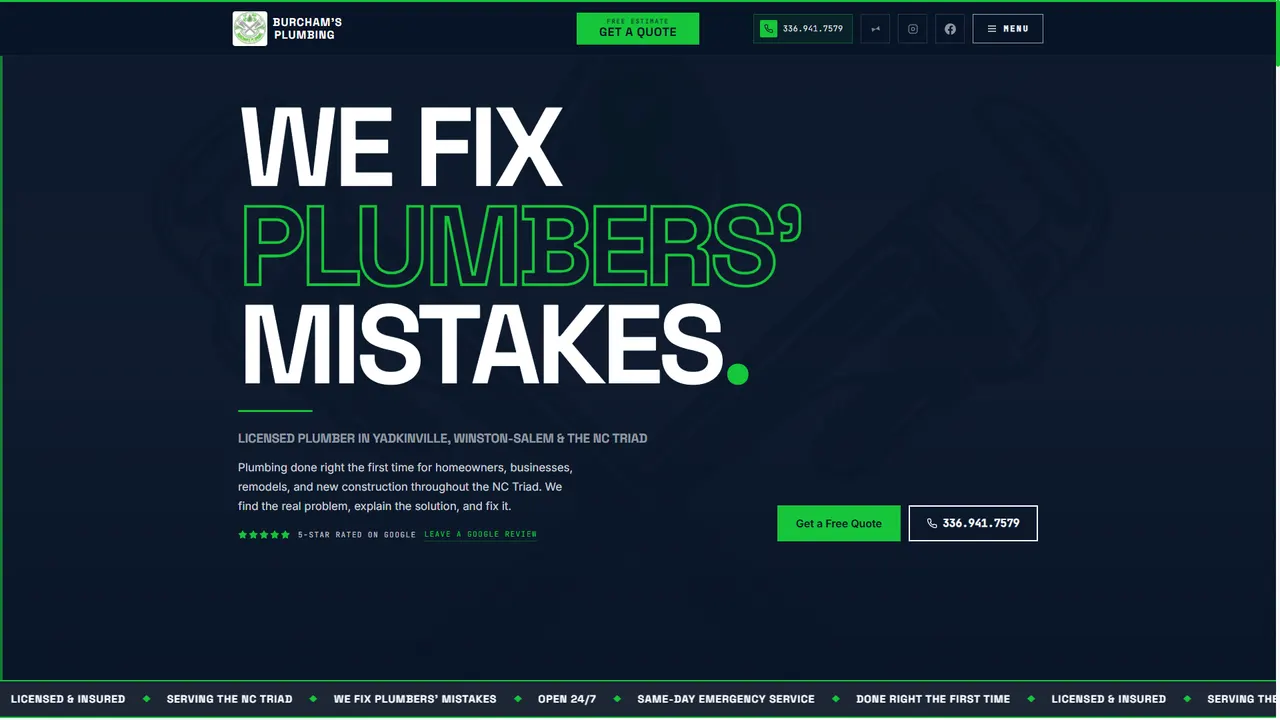
From "Powered by Webador" to a First-Page Contender: The Burcham's Plumbing Story
See how Koford Media rebuilt Burcham's Plumbing with custom web design, service-area architecture, local SEO, and a stronger digital foundation.
Why Most Business Websites Fail Before They Even Launch
Most small business websites fail long before launch due to poor planning, slow performance, and misaligned strategy. Learn how to build sites that succeed from day one.